
Your DualSense connects to PC. Why does it not feel like playing on PS5?
Working buttons do not establish support for every haptic feature. Separate the connection method from the game’s implementation before changing hardware.
The character moves and every button seems alive. The feedback from the demonstration video is missing. This is the expectation gap hidden inside “controller support”: basic input and advanced feedback are not the same promise.
Find the part you need
Choose the feature before the connection
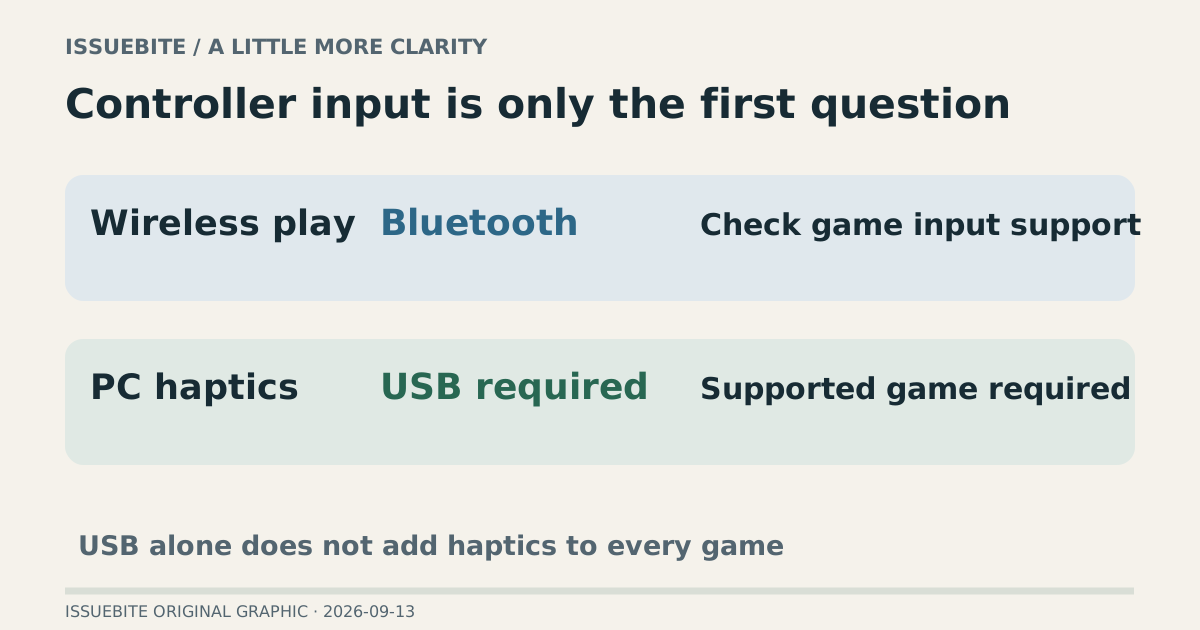
Bluetooth can be the right choice when cable-free couch play is the priority. If supported haptic feedback is the reason you bought the controller, start with Sony’s requirements: PC haptics require a supported game and USB connection. A successful wireless pairing does not establish that feature.
USB is not a universal feature unlock either. The game must implement the capability. The connection and the specific PC game’s support are separate requirements, so check both before assuming a replacement cable will change the experience.
For wireless play, establish basic input first
After pairing, verify buttons and sticks in the game. A device appearing in the operating system does not settle how a particular launcher or game handles its input. Establish one input route before layering several translation tools on top of each other.
One working title and one failing title narrow the investigation. Keep the controller and connection constant, then inspect the affected game’s settings. Changing several layers together can remove a symptom without leaving a repeatable solution.
A USB charging connection is not necessarily a data connection
Use a data-capable USB cable. If charging works but the game sees no controller, inspect the data path, including the cable and port. Comparing a direct connection with a hub path can help isolate where recognition changes.
Then check the game’s documented feature settings. Feeling some vibration does not by itself establish the specific haptic implementation you expected. Match the game’s description and connection requirements. This comparison does not claim measured latency or feedback-strength rankings.
Two sensible setups
Keep a convenient wireless setup and a feature-checking wired setup in mind. Bluetooth for ordinary sessions and USB for a PC game with documented advanced feedback can both be sensible. The best connection follows the game and feature you want that evening.
Reader conversation
Community ↗Questions, first-hand results and different perspectives are welcome. Counts reflect real member activity only.
Moderation
Sources and verification notes
- PlayStation — DualSense with PC, Mac and mobile devices ↗Checked 2026-09-13
What this source supports
- Choose the feature before the connection
- A USB charging connection is not necessarily a data connection