
Will an Ethernet adapter stop Chromecast buffering? Only if it fixes the weak link
Ethernet changes the local wireless link. It does not automatically repair a service outage, router failure, or unsuitable power setup. Match the adapter to both the device and the problem.
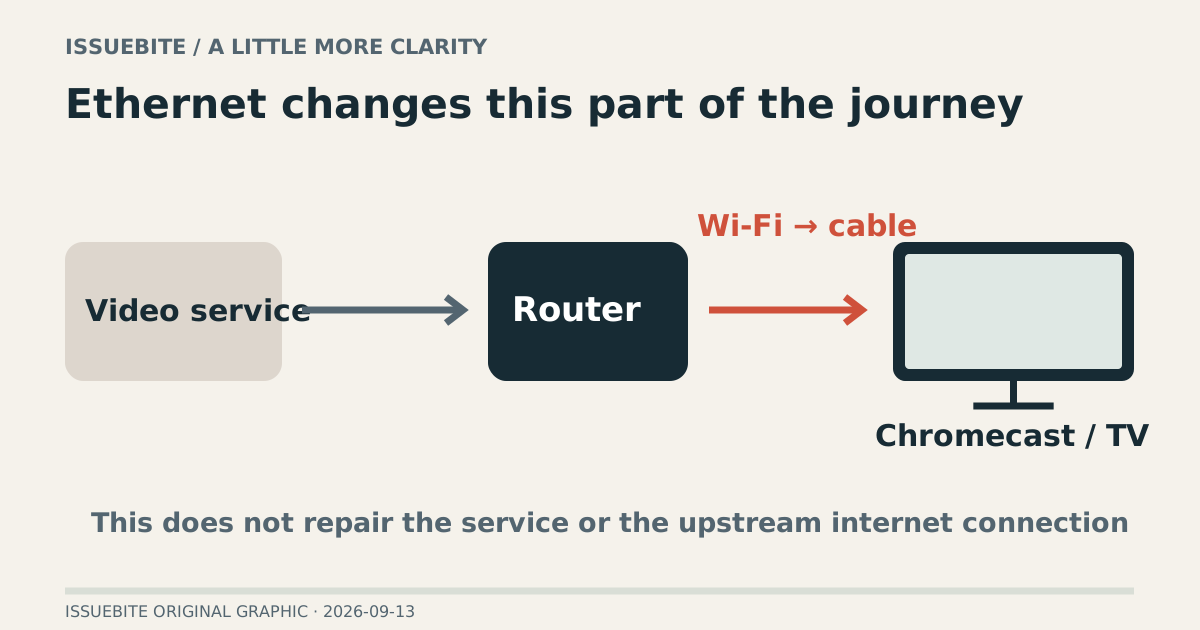
The loading circle arrives at the worst scene. Playback eventually resumes; the mood does not. “Just use Ethernet” sounds irresistible. It can help, but the adapter changes a specific part of the journey: the local link from router to Chromecast.
Find the part you need
Draw the path before changing it
Video travels through the service, internet connection, router, playback device, and display. Ethernet replaces the local device-to-router wireless leg. That is relevant to a weak or congested wireless link, but not a cure for an upstream service problem or a router without internet access.
Compare another device on the same service and another app on the Chromecast. These observations do not prove a cause by themselves, but they provide more useful information than selecting a product first.
The exact Chromecast model matters
Google notes that the Ethernet adapter differs with the Chromecast model. Establish the exact device before matching connector, power, and supported models. Similar Google TV branding is not enough to make one accessory suitable for everything.
Where an adapter supplies power and networking together, inserting the network cable is only part of the setup. Check the router’s working LAN connection, Ethernet cable, and adapter power as one path. Use the instructions for the device you actually own.
Compare the same scene after the change
After switching, return to the same application and content conditions. Changing several settings and services together makes the result harder to interpret. For this purchase, fewer interruptions in the troublesome situation are more meaningful than a larger isolated speed-test number.
If only one app still fails, revisit that application or service. If instability is broad, inspect power and the wider path. Buying an adapter does not make every subsequent failure a statement about adapter performance.
When one more cable earns its place
Ethernet is a sensible candidate when a cable can reach the TV, the wireless leg is plausibly at fault, and the adapter supports the exact device. Adding hubs and cables without identifying the weak link creates a busier living room and a harder diagnosis. Change the part the evidence points to.
Reader conversation
Community ↗Questions, first-hand results and different perspectives are welcome. Counts reflect real member activity only.
Moderation
Sources and verification notes
- Google — Ethernet adapter for Chromecast ↗Checked 2026-09-13
What this source supports
- Draw the path before changing it
- The exact Chromecast model matters