
Samsung fridge won’t turn on after an update? Check the model, protect food, book service
A Korea-specific guide to Samsung’s 23 September notice for RM70F and RM80F refrigerators: what the notice actually covers, how to protect food, and where to request a technician.
A refrigerator filled for the holiday goes dark. Searching for the software story can eat the time you need to protect the food inside. Treat a powered-off appliance and a SmartThings app that merely says “offline” as different observations.
Samsung Electronics Service’s Korean notice dated 23 September names RM70F** and RM80F** models when the unit will not power on or an update has stalled. It directs owners to request an engineer visit and move food to another fridge or insulated cooler while waiting. Check the full model and the actual symptom first; the notice is not a diagnosis of every offline refrigerator.
Find the part you need
Start with the full model number, not the app alert
RM70F** and RM80F** are family patterns in Samsung’s notice, not a complete serial or model number. Find the full model on the purchase record, warranty document or product label and compare the prefix. If opening the fridge to look for a label would warm food unnecessarily, start with the documents you already have.
Write down whether the appliance itself is off, its display has frozen, or only SmartThings has lost contact. These are different symptoms. A listed prefix does not establish the repair outcome, and a different prefix does not prove an appliance is safe. If cooling has stopped on any model, contact the official service team about that symptom.
Protect the food while the repair is pending
Samsung asks owners to move stored food to another working refrigerator or cooler before the inspection. Note the last time the unit was definitely cooling. If you do not know that time, the appearance of the food is a poor substitute for a temperature record. Keep doors closed as much as possible while arranging a cold source.
The US CDC’s general power-outage guidance uses about four hours for a closed refrigerator with no power. That figure is not a measurement of this Samsung fault, nor a guarantee that every food item is safe for four hours. If cooling has fully stopped and meat, eggs, milk or leftovers have warmed, assess them conservatively. Do not taste food as a safety test.
 Open full-size visual ↗
What to prepare for the official visit
The visit link in Samsung’s Korean notice redirects to Samsung Account sign-in. Samsung specifically asks for the product model so the engineer can prepare materials. Use the official notice rather than a search advertisement for a third-party repair number.
A useful personal note has four lines: full model, approximate time the problem began, whether you saw an update message, and current fridge/freezer behaviour. This is our suggested note, not a document Samsung officially requires. The notice also lists 1588-3366 for service calls within Korea; normal calling charges apply.
What the notice does not settle about money
The public 23 September instructions describe a visit and temporary food storage. They do not set a universal repair charge, free-repair promise or compensation amount for spoiled food. A customer asking about reimbursement in Samsung Members is evidence of a question, not evidence of a company payment policy.
If food has spoiled, handle it safely first. Keep records you already have—model details, time of failure, service reference and receipts—for an individual discussion. You do not need to keep unsafe food in order to ask a question. A technician’s findings and Samsung’s direct reply will determine what applies to your case.
The practical order today
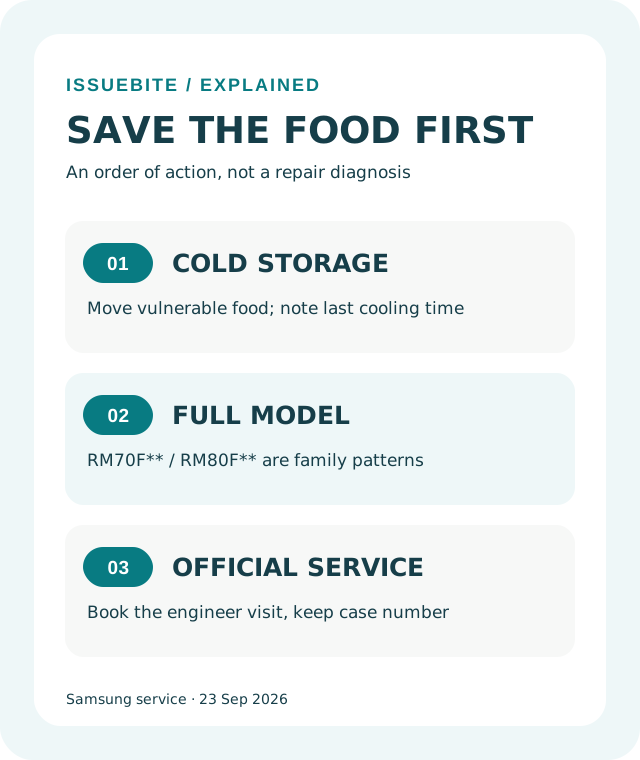
Move food if cooling has stopped. Confirm the full model and describe the actual symptom. Then book with Samsung’s Korean service team and keep the case number. That order gives you a concrete next step without turning an early public notice into a promise about every appliance or every claim.
Reader conversation
Community ↗Questions, first-hand results and different perspectives are welcome. Counts reflect real member activity only.
Moderation
Sources and verification notes
- 삼성전자서비스 — 냉장고 소프트웨어 업데이트 후 전원 장애 안내 (2026-09-23) ↗Checked 2026-09-24
What this source supports
- Start with the full model number, not the app alert
- Protect the food while the repair is pending
- What to prepare for the official visit
- What the notice does not settle about money
- The practical order today
- 삼성전자서비스 — 출장서비스 예약 (로그인 필요) ↗Checked 2026-09-24
What this source supports
- What to prepare for the official visit
- The practical order today
- Samsung Members — 냉장고 소프트웨어 오류 관련 공식 안내 ↗Checked 2026-09-24
What this source supports
- Start with the full model number, not the app alert
- CDC — 냉각이 중단됐을 때 식품 안전 판단 ↗Checked 2026-09-24
What this source supports
- Protect the food while the repair is pending
- Samsung Members — 음식물 처리에 관한 이용자 질문 (수요 관측) ↗Checked 2026-09-24
What this source supports
- What the notice does not settle about money
- Samsung Members — 수리 시점에 관한 별도 이용자 질문 (수요 관측) ↗Checked 2026-09-24
What this source supports
- What the notice does not settle about money