
Game Pass filled your Xbox? Divide the library before buying storage
Optimized Series X|S titles and Xbox One games do not use USB storage in the same way. Decide whether you need fewer downloads or more ready-to-play space.
The Game Pass problem is often an installation list growing faster than your free time. A storage warning makes a bigger SSD look like the obvious cure. On Xbox, the important question is what kind of shelf that drive will provide.
Find the part you need
Look at the installed version, not just the title
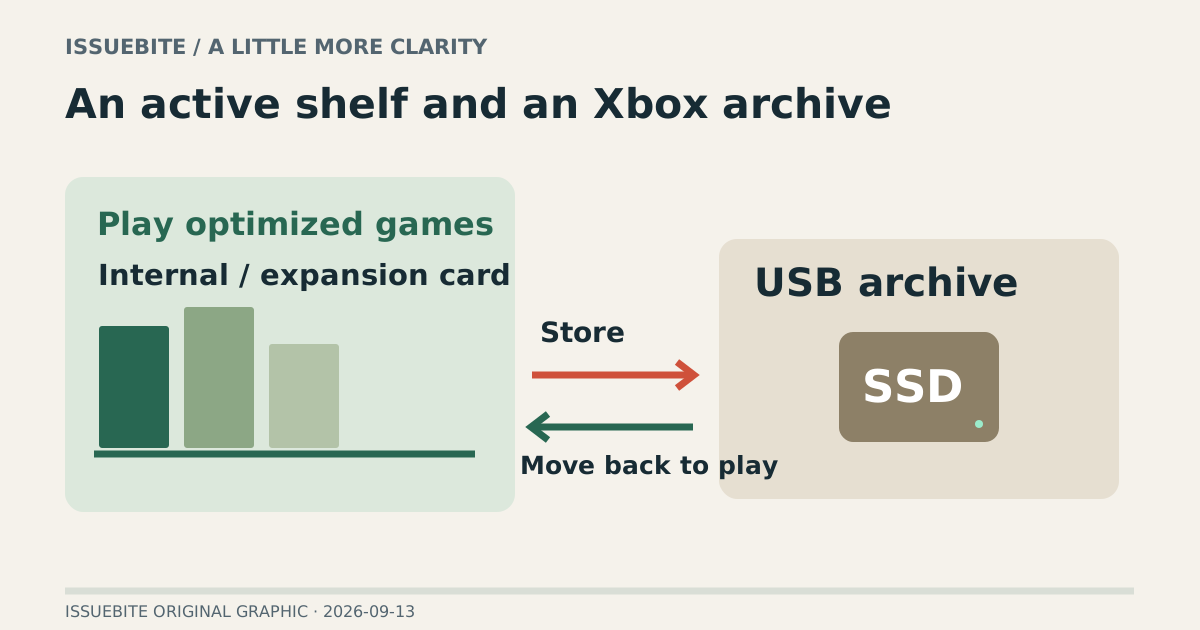
Seagate’s Series X|S guidance distinguishes optimized titles from non-optimized Xbox One games. Plan optimized games around internal storage or a compatible expansion card. USB can hold an archive to move back, but should not be budgeted as universal immediately playable space.
When a forum user says “mine runs externally,” identify the installed version and supported behavior. The same game name is not enough to establish the same storage requirement. An exceptional case is a poor basis for buying capacity for an entire library.
Build three shelves
Put this week’s optimized games on the first shelf: internal storage or supported expansion. Use the second shelf for games you want to retain without another download: potential USB archive material. The third contains Xbox One games supported for external USB play. The separation avoids paying premium playable-storage prices for every item.
Whether moving or downloading is more inconvenient depends on your connection and habits. Someone spending a whole evening on one game has a different need from someone switching among several short sessions. How often you switch can be a better purchase clue than library size alone.
The requirements behind a USB purchase
Seagate lists at least 128GB and USB 3.0 or later for USB game storage. Meeting that requirement does not itself grant direct execution for optimized Series X|S games. Device eligibility and game execution location are separate conditions.
Preparing a drive for game storage can erase existing files, so handle those files first. If you already have a suitable spare drive, try the archive workflow before committing to more capacity. The trial should test your routine, not just whether the connector fits.
Buy the evening you want
If moves repeatedly consume your brief sessions, more playable expansion space is a rational target. If you return to one game each weekend, archive-and-move may be enough. The useful outcome is not the largest installed count. It is less storage administration when you sit down to play.
Reader conversation
Community ↗Questions, first-hand results and different perspectives are welcome. Counts reflect real member activity only.
Moderation
Sources and verification notes
- Seagate — Using an external USB drive with Xbox Series X or S ↗Checked 2026-09-13
What this source supports
- Look at the installed version, not just the title
- The requirements behind a USB purchase