
Moving iPhone photos to an SSD is not always the backup you think it is
Your phone has more free space. Are your photos safer? Distinguish moving from backing up, then check the connection, copy, and retrieval before removing originals.
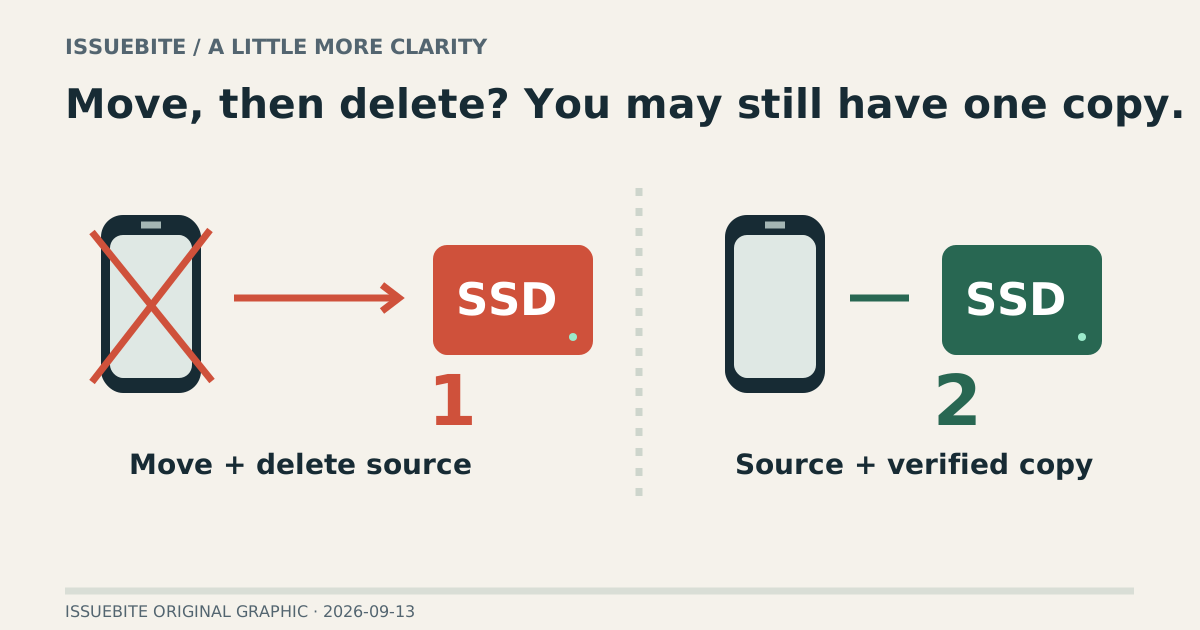
You move the holiday photos to an SSD and free up the iPhone. It feels reassuring—until you notice that deleting the phone originals may leave only one copy. Moving your belongings into another bag does not produce a second set.
Find the part you need
A move changes the address; a copy changes the count
An external SSD can be a useful destination without being an entire backup strategy. If the phone copy is gone, loss or failure of that SSD still needs another recovery path. Keeping an original and a verified copy in independent locations changes what happens when one disappears.
If cloud storage is involved, distinguish synchronization from independent retention. Check whether deletion in one place propagates to another. Seeing a photo through several screens does not necessarily mean several independent copies exist.
Before copying, establish a readable drive
Apple requires a single data partition in a supported format, including APFS, encrypted APFS, HFS+, exFAT, FAT32, or FAT. For use across phone and computer, check read/write support on both ends. A connector fitting does not establish a usable file workflow.
If the drive is missing, do not jump straight to formatting. Check the data cable, power, and Locations in Files. Some storage needs additional power. Formatting can erase existing material, so it is not a harmless first troubleshooting step.
The useful test happens after the copy
Start with a small batch rather than the entire library. Copy a photo and a longer video, then open them from the destination—on another device too, where practical. A filename in a folder and a video that plays through are different levels of evidence.
For the full job, date-based folders and a count/size reconciliation help identify omissions. Important collections may justify stronger integrity verification. At minimum, do not rush to delete the source before checking that the destination can actually be read.
An archive drive and a recording drive have different jobs
Copying finished media is different from recording directly to external storage on a supported iPhone. Recording requires the connection and sustained-storage conditions for the specific model and mode. A combination adequate for an archive is not automatically qualified as a recording setup.
Reader conversation
Community ↗Questions, first-hand results and different perspectives are welcome. Counts reflect real member activity only.
Moderation
Sources and verification notes
- Apple — Connect external storage to iPhone ↗Checked 2026-09-13
What this source supports
- Before copying, establish a readable drive
- Apple — USB-C on iPhone ↗Checked 2026-09-13
What this source supports
- An archive drive and a recording drive have different jobs