
Buying a PC for local AI? Start with the model, not the RAM headline
Fitting a model file is different from running a useful conversation. Separate weights, context memory, and runtime overhead before choosing a local-AI computer.
“Local AI needs plenty of memory” is a useful beginning and a poor complete shopping list. Buying a large bookshelf does not automatically give you a large desk. Storing the model and working with it are related, but different, requirements.
Find the part you need
The model file is the starting point
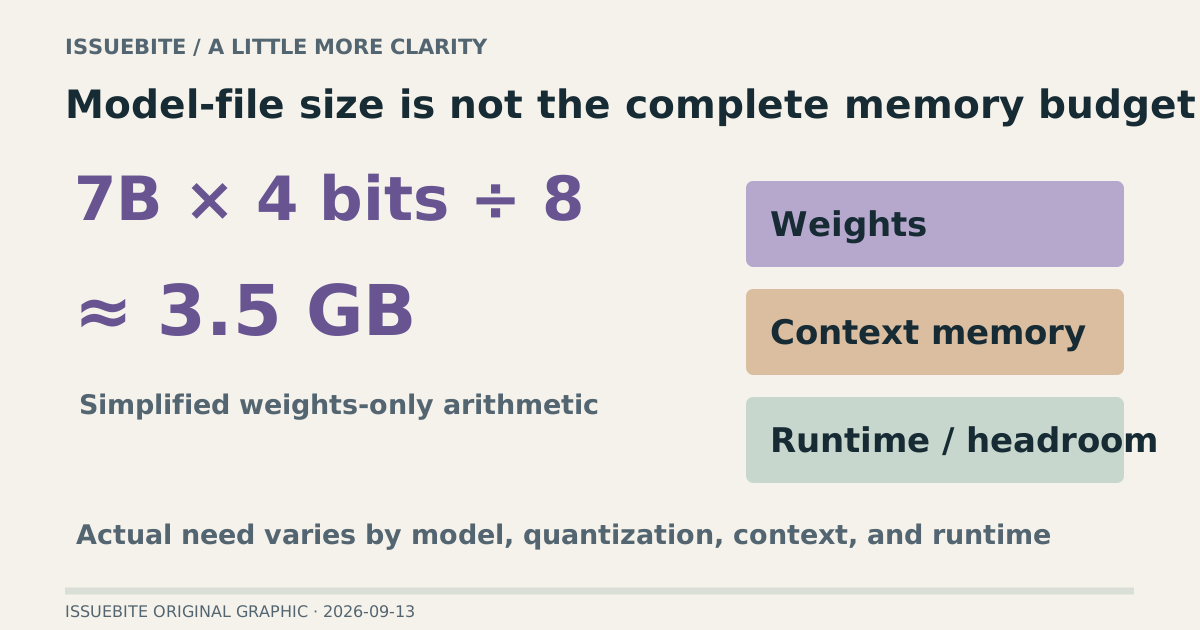
For a deliberately simplified calculation, seven billion values stored at four bits each give 7 billion × 4 ÷ 8, or roughly 3.5 billion bytes. That is weight arithmetic, not a recommendation that 3.5GB runs a 7B model comfortably. Real formats and quantization add their own details.
Inference also needs memory for context handling and runtime work. A short question and a long document followed by several exchanges impose different conditions even with the same model. Treating the download size as the whole memory budget erases that distinction.
Do not treat RAM and VRAM as one simple pool
System RAM and a discrete GPU’s VRAM have different roles and access paths. How much work can be placed on the GPU depends on hardware and runtime support. Unified memory also has to accommodate the operating system and other applications. A specification total is not a dedicated model budget.
Before comparing memory capacities, match candidate hardware with the intended runtime. Ollama’s GPU documentation and LM Studio’s system requirements provide the relevant starting points. Discovering an unsupported path after buying the machine is an expensive order of operations.
The cheapest useful experiment starts where you are
Choose one real task, such as extracting requirements from a local document with supporting passages. Start with a smaller model and hold the question and source constant. Record loading time, time to the first response, and omissions in the completed answer. Fast text generation that misses the requirement is not a fast completed job.
Then test a document of the length you will actually use. A short demonstration does not establish a long workflow. Inspect the model-loading options and memory behavior alongside answer quality. That tells you whether the limiting factor is capacity, hardware support, or the model’s usefulness.
Local execution solves a particular set of problems
Offline use and avoiding an external model API can be reasons to run locally. They do not automatically validate a download, license, connected tool, or log policy. Review model provenance and any network-enabled integrations separately. “Local” describes where inference runs, not every property of the surrounding system.
Buy the new machine when the experiment identifies a specific constraint. If the desired model passes your task but cannot accommodate the required context, more suitable memory can be justified. If the model misunderstands the task, adding capacity may simply give the same wrong answer more room.
Reader conversation
Community ↗Questions, first-hand results and different perspectives are welcome. Counts reflect real member activity only.
Moderation
Sources and verification notes
- LM Studio — Estimate memory and load models ↗Checked 2026-09-13
What this source supports
- The model file is the starting point
- The cheapest useful experiment starts where you are
- Ollama — Hardware support ↗Checked 2026-09-13
What this source supports
- Do not treat RAM and VRAM as one simple pool
- LM Studio — System requirements ↗Checked 2026-09-13
What this source supports
- The model file is the starting point
- Do not treat RAM and VRAM as one simple pool